The advert is open on your screen and it runs to twelve bullet points. Three acronyms you’d have to look up, one line about escalation pathways, a closing note about shift cover. Somewhere in there is a job you suspect you’d be good at. This guide unpacks the computer support technician job description line by line, so you can see what the work looks like on a normal Tuesday and where the role can take you.
What a computer support technician does day to day
The front desk can’t print the day’s invoices. The sales team’s shared mailbox has stopped syncing. Someone in accounts is locked out for the third time this month, and all three land on the same desk.
That desk belongs to a computer support technician. The National Careers Service job profile describes the role as identifying and fixing hardware, software and network problems, which is a tidy way of saying you restore people’s ability to work.
Adverts use several titles for the same job, including IT support technician, help-desk technician, IT service engineer and service-desk analyst. Search all four and you’ll find more openings. The work might be in an office, at a client’s business or in a contact centre, and patterns often include evenings, weekends or shifts.
Six duty areas sit behind almost every advert:
| Duty area | Typical task | Passed on when |
|---|---|---|
| Support requests | Answering calls, chats and tickets from users | The problem needs specialist skills or access |
| Incident logging | Recording each fault in the tracking system | Never, but the record must be complete |
| Fault diagnosis | Testing hardware, software and network issues step by step | The cause sits outside the technician’s area |
| Installation and upgrades | Setting up devices, software and new systems | The change affects a wider team or system |
| Printers and cabling | Maintaining printers, peripherals and network cabling | Repairs need an external contractor |
| User accounts | Creating, changing and closing user accounts | The request breaks the access policy |
Use the table to compare adverts and picture what your working day might involve. If an advert leaves out a duty area, ask about it at interview so you know what the role actually covers.
How to read a computer support technician job description
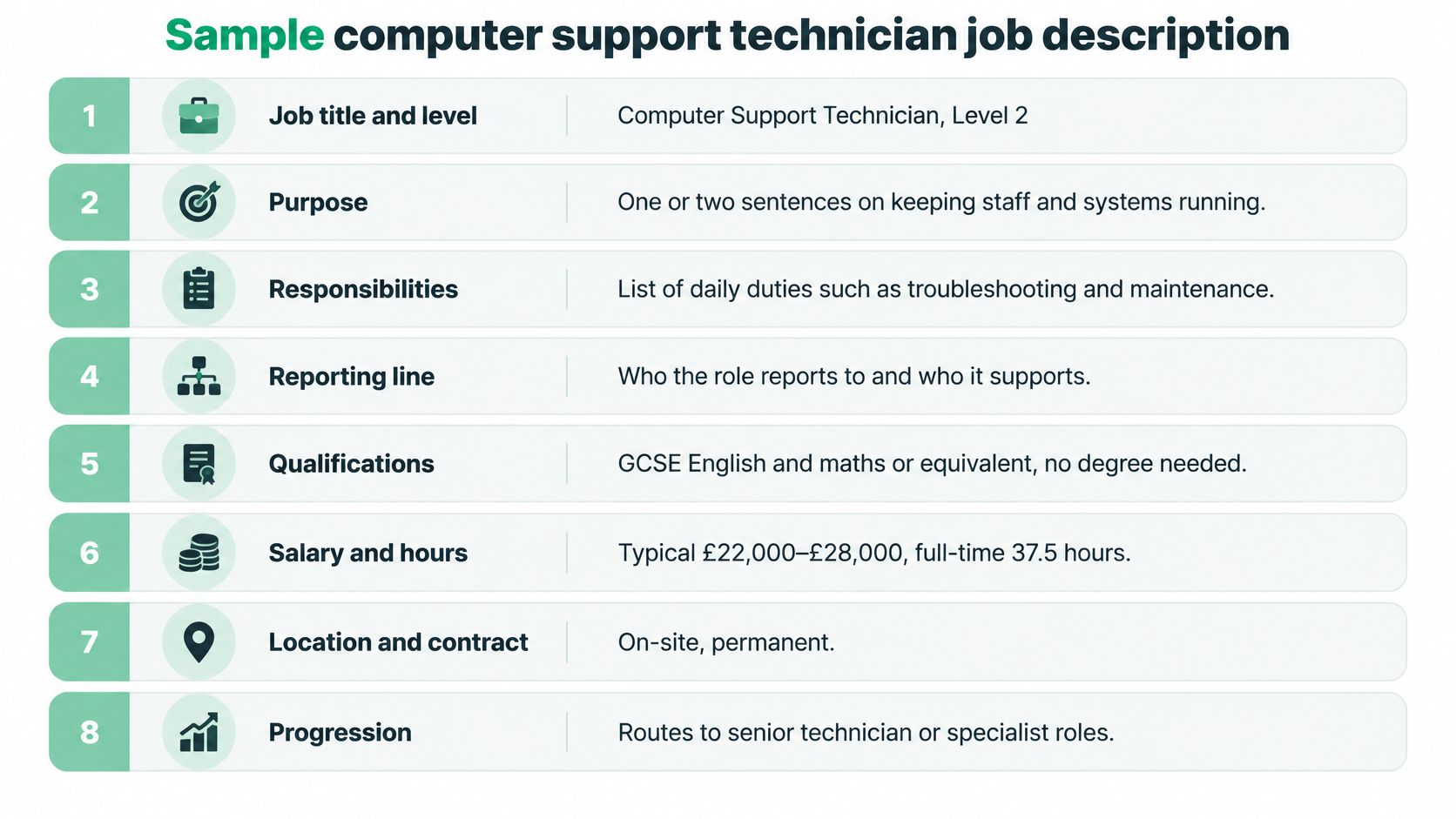
Most adverts follow a similar structure. Knowing what each part tells you makes it easier to decide whether a role fits your skills and plans.
-
Job title and level. Check whether the post is entry level or asks for more independent troubleshooting, such as a Level 2 role.
-
Purpose. Look for who you’ll support and what the team is responsible for.
-
Main responsibilities. Compare the listed tasks with the six duty areas above to see what your day might involve.
-
Essential skills. These are the abilities the employer expects you to bring, such as Windows knowledge, clear written updates and a calm approach to a busy queue.
-
Desirable skills. You may be able to learn these on the job. Basic networking or an interest in security could help you stand out.
-
Qualifications and experience. Read the wording carefully: “preferred” is different from “required”. Consider relevant projects and practical experience you can discuss.
-
Working pattern and location. Check for shifts, on-call cover, travel or time on site before you apply.
-
Salary and how to apply. Look for a stated range and note what the application asks you to provide. If the advert omits pay, ask about it during the hiring process.
An advert for a forty-person accountancy practice in Leeds might say: “Set up and configure laptops for new starters, including Microsoft 365 accounts and secure file access.” Another bullet might say: “Investigate reported faults in the practice management software, log findings, and escalate to the vendor when the cause sits outside our systems.”
Those bullets tell you more than a vague request to be “good with people”. You can picture the systems you’ll use, the problems you’ll tackle and when you’ll need to pass a case on. Look for that level of detail as you compare opportunities, and ask questions if a description leaves the day-to-day work unclear.
How much cybersecurity responsibility the role carries
Here’s an assumption worth challenging. Security belongs to the security team, so a support technician doesn’t need to think about it.
That holds until the first phishing report lands in your queue. UK government evidence identifies malware detection and removal as the largest cybersecurity skills gap, set out in the report on cyber security skills in the UK labour market. Support staff are usually the first to hear about a compromised account, an odd pop-up or a device behaving strangely.
The split between what you handle and what you hand over looks like this:
| Task | Technician handles alone | Escalate to security team |
|---|---|---|
| Password resets and account lockouts | Reset following policy and confirm the user’s identity | The lockout looks like an attack |
| Patch checks and updates | Confirm patches are installed on assigned devices | A critical patch is missing on shared systems |
| Suspected phishing email | Report it, keep the message and do not click any links | At once, before anyone else opens it |
| Malware alert on a device | Follow the approved containment steps and note the time | The alert spreads or data may be exposed |
| Unusual device behaviour | Check, record the symptoms and document everything | The cause is still unclear after checks |
| Access to sensitive data | Only where the role and policy allow it | Any request outside the technician’s permissions |
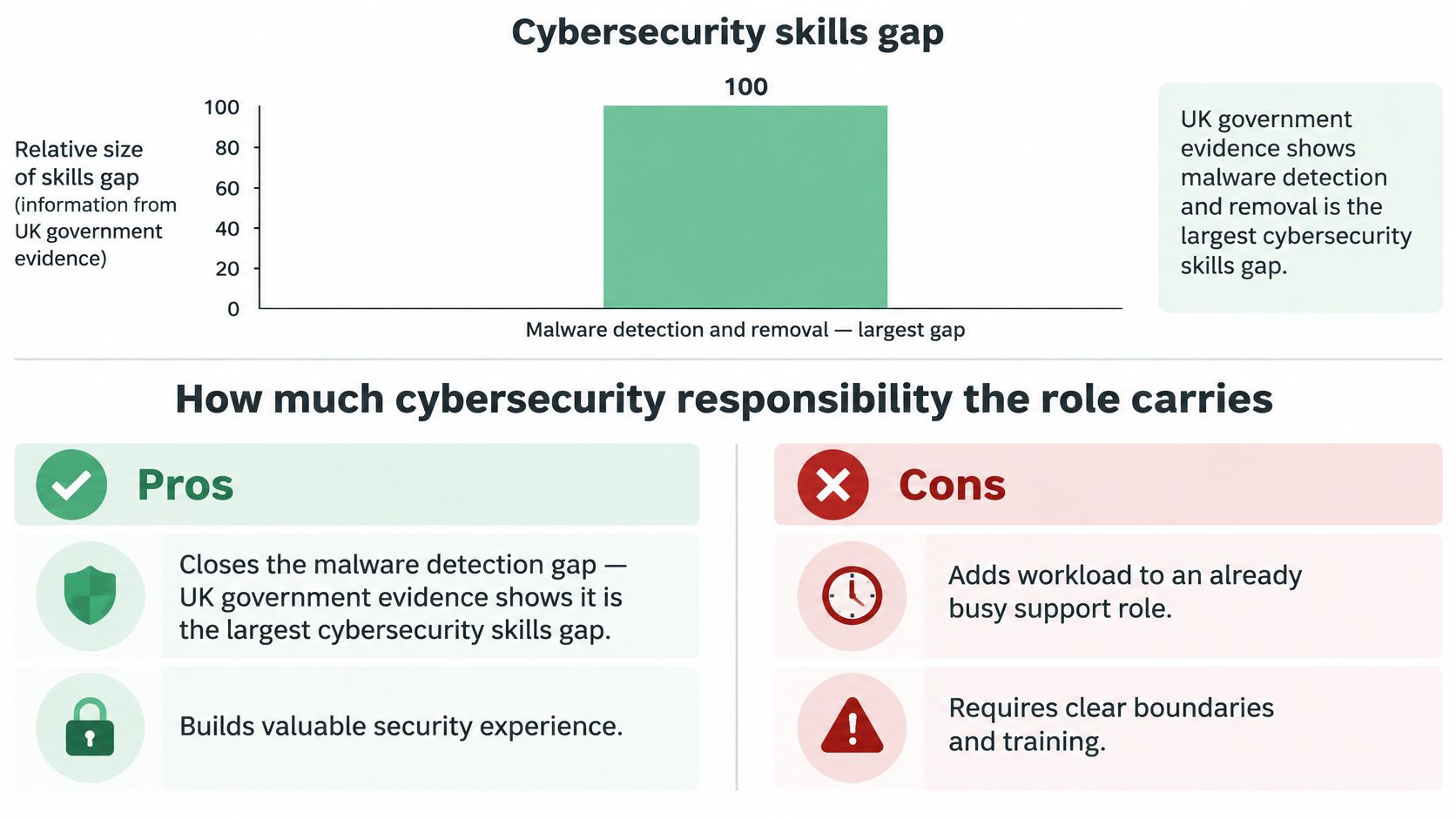
The rule: work inside policy, preserve the evidence, pass the case on quickly. Carrying security responsibility isn’t the same as owning the incident.
So the honest answer to the usual question is that a technician holds real security duty without owning the wider incident. That’s also why the role opens a door into security work, and you can read more about whether cyber security is a good career if that side appeals.
Technical and communication skills employers ask for
Adverts mix two kinds of skill and rarely say which is which. That’s why beginners can’t tell what to learn first.
Baseline skills get you shortlisted. Ticket handling, a logical approach to faults, plain-English updates for users, tidy notes, respect for confidentiality.
Differentiating skills get you chosen. Microsoft 365 administration, endpoint management, networking fundamentals, security awareness.
Skills England projects 239,000 additional jobs across 30 priority digital occupations between 2025 and 2035, plus 249,000 workers needed to replace people leaving those occupations, as its digital and technologies sector assessment sets out. Current vacancy adverts bundle Microsoft, Windows, Microsoft 365, customer service and problem-solving together, which tells you the job is neither purely technical nor purely customer-facing.
| Skill | What it looks like at entry level | How most people learn it |
|---|---|---|
| Operating systems (Windows and macOS) | Fixing login, update and settings problems | Course, self-study or on the job |
| Microsoft 365 administration | Setting up accounts, licences and shared mailboxes | Often on the job, or practised in a trial account |
| Ticket handling | Logging, prioritising and closing requests accurately | On the job |
| Troubleshooting logic | Working through a fault step by step until the cause is found | Practice, labs and on the job |
| User communication | Explaining fixes in plain English without blame | On the job, and through course tasks |
| Networking basics | Understanding IP addresses, Wi-Fi and printers on a network | Course or self-study |
| Security awareness | Spotting phishing and following account policies | Online training, then on the job |
Formal qualifications aren’t the only evidence of readiness. A written record of faults you’ve fixed, a structured troubleshooting note, a careful answer about who should hold access rights. If networking is the part that grabs you, what you study in a computer networking course shows the ground it covers.
Learn the baseline first. Then add one differentiating skill and get properly good at it.
Qualifications and where the role can lead

A degree isn’t usually the entry ticket. Some adverts ask for GCSE English and maths or equivalent, others want a computing qualification or a little relevant experience. A clear track record often counts for more than a single certificate.
Building that track record is easier than it sounds. Set up a virtual machine at home and practise creating user accounts and resetting passwords. Offer a few hours of IT help to a local charity and keep notes on every fault you solve. Write down what you checked, what you changed and what happened next.
The video below walks through the sort of practical groundwork that makes a real difference.
Once you’re in post, experience opens several routes. The National Careers Service lists senior IT support technician, IT project manager, departmental manager, systems analyst and IT security coordinator among the usual next steps. Support work can also lead towards cloud operations or systems administration, though that’s an option rather than a promise, and no particular salary is guaranteed.
For a wider view of where technology roles sit, this guide to what jobs are in the tech industry maps the field. Pick the step that matches your goals, then focus your learning on the skill it needs first.
Take your next step with Stonebridge online
If you want to prepare for further study in computing, Stonebridge offers the Access to Higher Education Diploma (Computing). The course page explains the qualification, requirements, syllabus, assessment and included materials, so you can check whether it suits your plans.
Study is 100% online, with support from qualified tutors. You can fit learning around work and family life, then use the course details to decide whether this route matches your goals.
Stonebridge offers flexible, subscription-based online courses for adults. Students can pause or cancel their subscription at any time, without long-term credit agreements. The modular structure lets you organise your study around other commitments.
If you’re considering a move towards computer support or security, compare the course content with the technical grounding those roles call for. Explore the Access to Higher Education Diploma (Computing) and see whether it fits your next step.
Stonebridge Associated Colleges offers online courses across vocational and academic subjects. Its Computing diploma may suit adults looking to build a foundation for further study. Find the course details and consider how this route fits your plans.