You probably use a computer every day without thinking much about what's happening inside it. You open a browser, join a video class, save a document, maybe stream a lecture, and expect it all to work. When it doesn't, the whole thing can feel mysterious.
That mystery puts some people off computing. It shouldn't. Once you understand the main components of computer systems, a lot of “tech magic” starts to make sense. Better still, this knowledge is one of the first practical steps towards a computing degree or a career in software, cyber security, support, data, or networking.
Your First Step into the World of Computing
A typical adult learner might sit down after work, open a laptop that's a few years old, and try to watch a lesson while several tabs are open. The fan starts whirring. The video stutters. A file won't save where expected. It feels like the computer is being difficult for no reason.
Usually, there is a reason. The processor may be working hard. Memory may be full. Storage may be nearly used up. The internet connection may be fine, but the device itself may be slowing things down.
You don't need to be a maths genius or a programmer to learn this. You just need curiosity and a willingness to connect the parts.
That's why learning the components of computer systems matters so much at the start of a computing journey. It gives you a clear mental map. Once you have that map, troubleshooting, studying, and career planning all become easier.
Why Understanding Computer Components Matters
Understanding computer components gives you a practical advantage from the start. For an adult learner studying online in the UK, it can mean the difference between guessing why a lesson will not load properly and recognising that the problem may be memory, storage space, or device performance.

It helps you solve real problems
A computer is a working system, not a mystery box. Once you know the main parts and what each one does, everyday problems become easier to read. A frozen program, a slow startup, or a failed update stops feeling random. You can begin asking useful questions. Is the machine short of memory? Is the processor overloaded? Is the drive nearly full?
That habit of thinking matters in job roles such as IT support, software development, cyber security, and digital operations. It also matters in workplaces where reliable devices are part of safe and efficient service, including healthcare, education, and remote administration.
For online learners, this knowledge is especially useful. If you are studying after work on an older laptop, you need to make sensible decisions about running video lessons, saving coursework, installing software, and joining live sessions without unnecessary stress.
It helps you make better decisions
Knowing the difference between key components helps you choose equipment with more confidence. You do not need to memorise every technical specification. You do need to understand enough to match a device to the task.
That means you can:
Choose devices more wisely for study, work, and specialist software
Explain issues clearly to tutors, colleagues, or IT teams
Spot bottlenecks early before they disrupt assignments or online assessments
This is one of the first practical skills that turns interest into progress.
It builds the foundation for future study and work
These ideas sit underneath almost every area of computing. Whether you later study programming, networking, data, cyber security, or technical support, you will keep returning to the same basic flow. Data goes in, the system processes it, memory and storage handle it in different ways, and results come out.
That is why this topic matters so early in the journey. If you are considering a flexible route into higher-level study, including options such as the Stonebridge Access to HE Diploma, this knowledge gives you a stronger starting point. It helps course content make sense faster, and it builds the confidence many adult learners need before taking the next career step.
Practical rule: If you can explain how data is entered, processed, stored, and output, you already have a strong foundation for further computing study.
The Core Hardware Components Explained
A helpful analogy for the components of a computer system is a busy workplace where each piece of hardware has a clear job. Once you know who does what, the machine stops feeling mysterious. That matters for adult learners studying online, because it becomes much easier to judge whether a computer can cope with video lessons, coursework, research, and specialist software.

The main team inside the machine
CPU
The Central Processing Unit works like the decision-maker. It reads instructions, carries out calculations, and keeps tasks moving in the right order. If you open a browser, start a document, or run a spreadsheet, the CPU is involved in every step.
RAM
Random Access Memory is the short-term working area. It holds the data and programs your computer is using right now. A system with too little RAM can still work, but switching between tasks often feels slow because the computer keeps clearing space and reloading information.
Storage
Storage keeps files and programs for the long term. Your assignments, photos, installed apps, and operating system are saved here even when the machine is turned off. This is one of the easiest areas for learners to confuse with RAM. RAM is temporary working space. Storage is where things stay.
A short video can make that relationship easier to picture.
The structure that connects everything
Motherboard
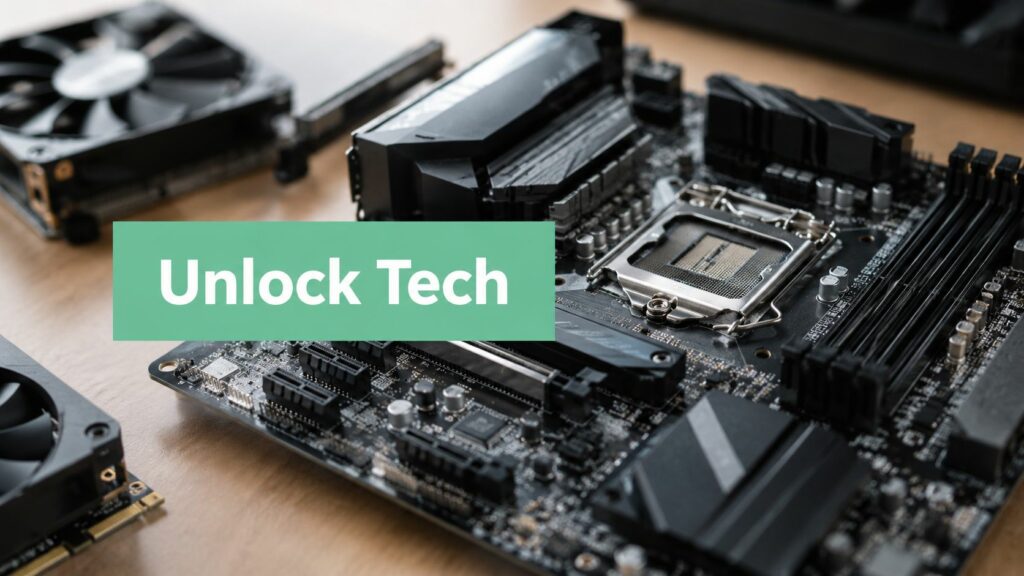
The motherboard is the main circuit board that links the core parts together. The CPU, RAM, storage, and other components rely on it to communicate properly. If you are new to computing, it helps to picture the motherboard as the shared route system inside the machine.
Security matters here too. The National Cyber Security Centre's guidance on platform security explains why the system board and related low-level components sit close to the computer's trust boundary. In practical terms, problems at this level can affect startup processes, firmware, and the path data takes through the system.
GPU
The Graphics Processing Unit handles visual processing. For basic study tasks, an integrated GPU is often enough. For video editing, design software, 3D work, or some data-heavy applications, a stronger GPU can make a noticeable difference.
This is useful knowledge if you are comparing devices for online study. A learner preparing for an Access to HE route into computing does not need to chase the most expensive specification. They do need to match the hardware to the kind of work they plan to do.
Input and output devices
A computer system also depends on the parts that bring information in and send results back out.
| Component | Simple role |
|---|---|
| Input devices | Let you enter data, such as a keyboard, mouse, webcam, or scanner |
| Output devices | Show results, such as a monitor, printer, or speakers |
| Power supply | Delivers usable electrical power to the system |
Learning these parts is more than theory. It is one of the first practical steps toward choosing the right setup for flexible online study, building confidence with technical language, and preparing for future computing courses such as the Stonebridge Access to HE Diploma.
How Software and Networks Complete the System
A computer becomes useful when its parts can follow instructions, run tasks, and connect you to other people and services. For an adult learner studying online, that is the difference between owning a device and having a study setup you can rely on.

Software gives the hardware instructions
Software is the set of instructions that tells the physical parts what to do. Without it, even a well-built computer cannot open a browser, save coursework, or join an online lesson.
The operating system works like the organiser of the whole machine. It manages memory, storage, files, and connected devices, while also giving you the screen and menus you use every day. Windows, macOS, and Linux all handle this job in their own way.
Then come the programs you choose for a specific purpose. A web browser helps you access a virtual learning environment. A spreadsheet helps you organise information. A coding environment lets you write and test programs. Each one uses the hardware in a different way, which is why software choice matters as much as specifications on paper.
Networks connect the system to the wider world
Networks allow your computer to send and receive data. That includes your home Wi-Fi, a college network, cloud storage, video calls, shared documents, and the wider internet.
For online learning, this connection has a very practical effect. A learner might have a capable laptop and the right software, but still struggle if the internet connection drops during a live session or takes too long to upload coursework. Another common challenge is using an older or shared device, where updates, browser compatibility, and connection quality can all affect access to platforms such as Moodle or Blackboard.
That is why a computer system is best understood as a working partnership. Hardware provides the physical capacity. Software tells it what task to perform. Networks link it to lessons, tutors, resources, and online tools. Once you understand that relationship, you are already building the kind of practical knowledge that helps UK adult learners choose the right setup for study and take confident first steps toward a future computing course.
A computer system isn't just a box of parts. It's a working relationship between hardware, software, data, and users.
From Theory to Practice with Stonebridge
A lot of adults return to study with a simple question in mind. Will I use this, or am I just memorising terms for an assignment?
That question matters. The Access to Higher Education Diploma (Computing) answers it by placing component knowledge inside practical study. Module 4, Components of Computer Systems, sits alongside cyber security, database development, software development, web design, programming constructs, AI, and maths, so you can see how the basics support everything that follows.

For a UK adult learner studying online, that makes a real difference. If your laptop slows down during research, your storage fills up before you submit coursework, or your peripherals do not behave as expected, understanding the system helps you work out the cause instead of feeling stuck. It turns “my computer isn't working properly” into a clearer, more manageable question.
Stonebridge Associated Colleges makes that first step tangible. Rather than treating components as an isolated topic, the diploma links them to communication methods, storage, input control, and output devices. That gives learners a clearer view of how a computer system behaves in everyday study, and why that knowledge also matters in future job roles.
This is often how a computing career starts. You learn what each part does, how the parts work together, and how to make better decisions about the tools you use for online learning today.
Start Your Flexible Path to a Computing Career
If computing interests you, don't wait until you feel “technical enough”. Start with the foundations and build from there. That's how confidence grows.
A flexible online route works well for many adult learners because life doesn't pause for study. With subscription-based learning, you can fit modules around work and family commitments, study online, get support from qualified tutors, and keep more control over your pace. The option to pause or cancel without long-term credit agreements can also make returning to education feel more manageable.
The full diploma includes academic skills, ICT, cyber security, databases, programming, web design, AI, and maths. That combination gives you both practical computing knowledge and preparation for further study.
If you've ever wondered whether a computing career is really for you, learning the components of computer systems is a very sensible place to begin.
If you're ready to turn that interest into structured study, Stonebridge Associated Colleges offers 100% online, flexible subscription-based learning with tutor support, including the Access to Higher Education Diploma (Computing). It's a practical way to build foundational knowledge, study around your commitments, and start moving towards a computing degree or career.